MeshCore Regions for Repeaters
Region management is for repeater deployments.
When you deploy a repeater, set the repeater region using the state code for where it is physically installed.
Using consistent state-based regions helps with:
- Keeping flood behavior predictable
- Making repeater intent clear to other operators
- Coordinating regional deployment decisions
Determine your region
Use the interactive map to identify your location and see which regions to set based on your GPS position: Open the region map
For more information on the map and the boundaries it covers, see MeshCore Region Boundaries.
Region codes for Boston metro / Eastern MA
For a repeater located in the Boston metro / Eastern Massachusetts area, set these regions:
bos(Boston metro / Eastern Massachusetts)northeasteast
If your repeater is located elsewhere in New England, use the map above to find the correct region codes for your location.
How scope forwarding works
Each channel can have a scope. If a message is sent on a scoped channel, that packet carries the same scope.
A repeater will only forward that packet when:
- The repeater has that region configured
- Flooding is allowed for that region
Every repeater on the path must have the same region configured for forwarding to continue end-to-end.
Example:
- If someone in Boston sends with
bosscope, all repeaters on that route needbosconfigured and allowed. - If a message carries
northeastoreastscope, the same applies for those regions.
Flood permissions
Flood is currently allowed on bos, northeast, and east.
You can optionally restrict unscoped flood packets on your repeater by setting a max hop count. A suggested starting value is 12:
set flood.max.unscoped 12
These settings can be changed remotely over the mesh after a repeater is deployed.
How to set regions in the UI
This section has been moved to the Scope messages sent to a channel section.
How to set allowed regions (CLI) on a Repeater
For a repeater in Eastern Massachusetts / Boston, use these commands on the repeater CLI:
region put bos
region put northeast
region put east
region allowf bos
region allowf northeast
region allowf east
region save
Optional verification:
region get bos
region get northeast
region get east
region list allowed
Optionally restrict unscoped flood packets using a suggested value of 12:
set flood.max.unscoped 12
For the full region command list, see the official MeshCore CLI reference: https://github.com/meshcore-dev/MeshCore/wiki/Repeater-&-Room-Server-CLI-Reference#region-management-repeater-only
MeshCore Regions for Companions
It's helpful to understand regions from the companion's perspective. A local mesh's behavior, with respect to region scoping is enforced by the repeaters — each one decides for itself, based on what it's been configured with, whether to pass a packet along. You set region scoping on a per-channel basis on your companion (in the client software). If the message you send to a channel is tagged with a region and is received by a repeater allowing that region, it will then be rebroadcast into the mesh. If you set a region on a channel message that is received by a repeater that does not have that region configured, your packet and message will not be rebroadcast: they will be dropped. If a packet has no region tag, the repeater's region scoping doesn't apply — instead, the repeater decides whether to keep forwarding it based on the unscoped mechanism.
Region scoping on a companion device controls what happens to the traffic you send, not what you receive. Your companion receives everything the 0-hop repeaters forward, regardless of what scope a message was sent on.
If you scope your channel messages to a region the 0-hop repeater doesn't carry, it will be silently dropped. There is no current mechanism to notify you or present an error.
Pick the narrowest scope that reaches your intended audience:
- Traffic meant for Boston metro / Eastern MA specifically →
bos - Traffic meant to reach beyond Boston metro into neighboring New England areas →
northeastoreast
These aren't a fallback chain — a repeater only forwards a packet when it has that exact region explicitly configured. Carrying multiple regions on a repeater means it independently checks each one; there's no inheritance between them.
Unscoped messages
You can also leave a channel unscoped (the default), which means no region tag has been configured for messages sent to that channel. Unscoped traffic isn't checked against a repeater's list of allowed regions, it's treated as general flood traffic instead, and a repeater can be configured to decide whether to keep forwarding it based on how many hops it's already traveled.
Sending unscoped channel messages doesn't require you to know or guess what regions are configured nearby. They pass through any repeater allowing unscoped channel messages, regardless of region setup. The tradeoff is reach and congestion, not delivery risk. Unscoped traffic can travel further than intended since it isn't confined to a region, and as more repeaters cap unscoped hop counts, an unscoped message may get dropped sooner than a properly scoped one would.
You may see channel messages that took more than 10 hops to reach you, sent from a different state or far away. This would likely indicate that these messages are unscoped and all repeaters contributing to forwarding the message to you had a max scope as either unconfigured or a relatively high number.
Scope messages sent to a channel
This procedure explains exactly how to set a channel on your companion app to be scoped to a single region.
-
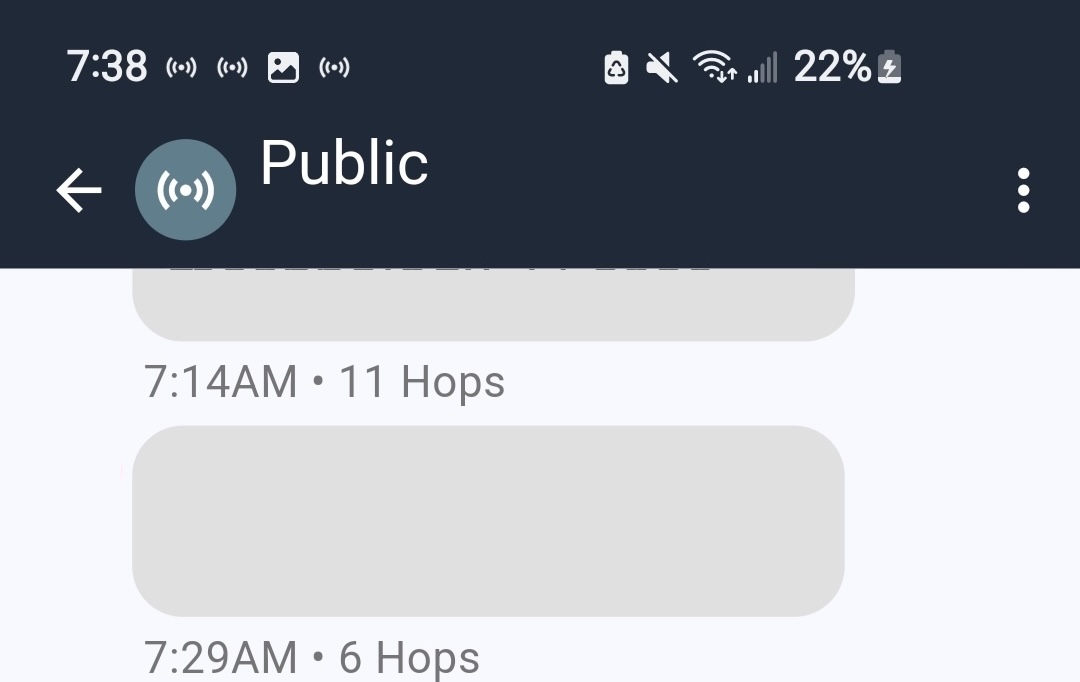
In the MeshCore app, select and enter a channel. This is the Channel screen.
-
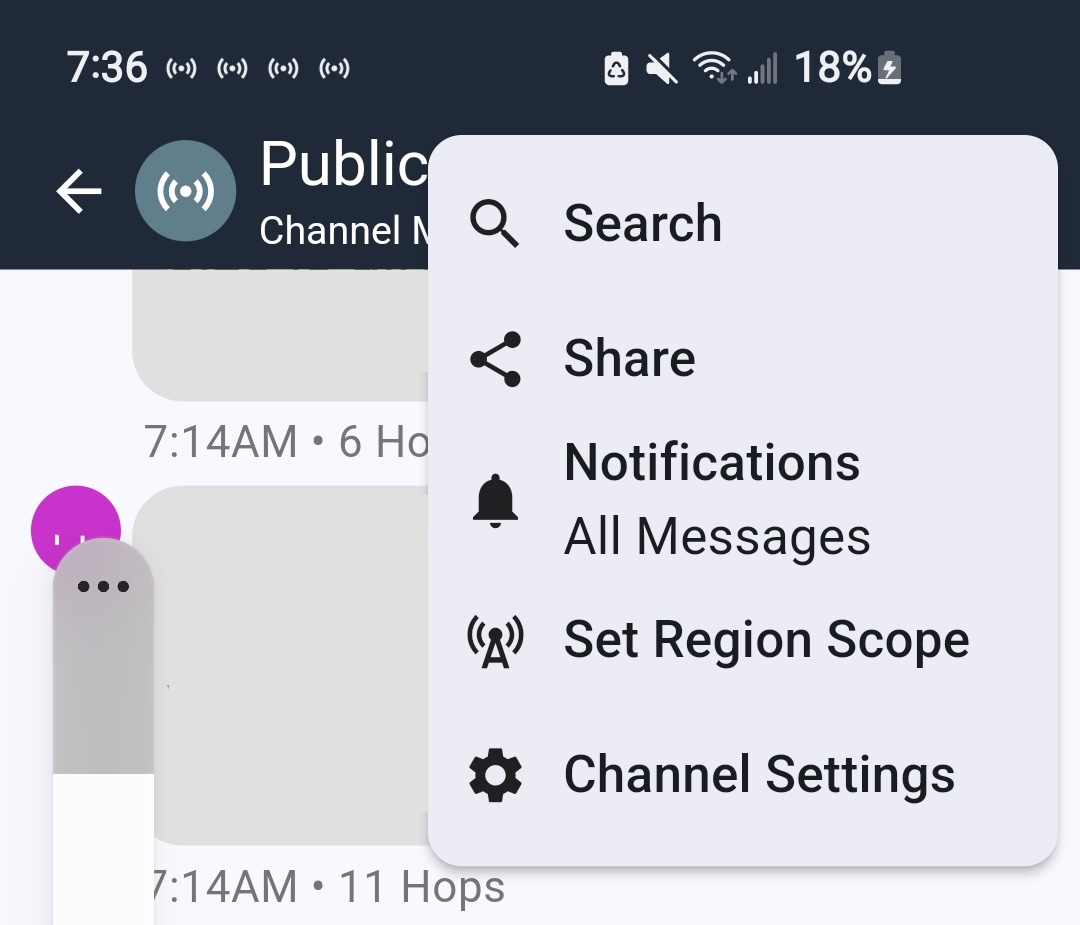
Tap the three-dot menu in the upper-right corner.
-
Tap Set Region Scope. This opens the Select Region screen.
-
If no regions are listed yet:
- Tap + to open the Add Region screen.
- Enter the region name.
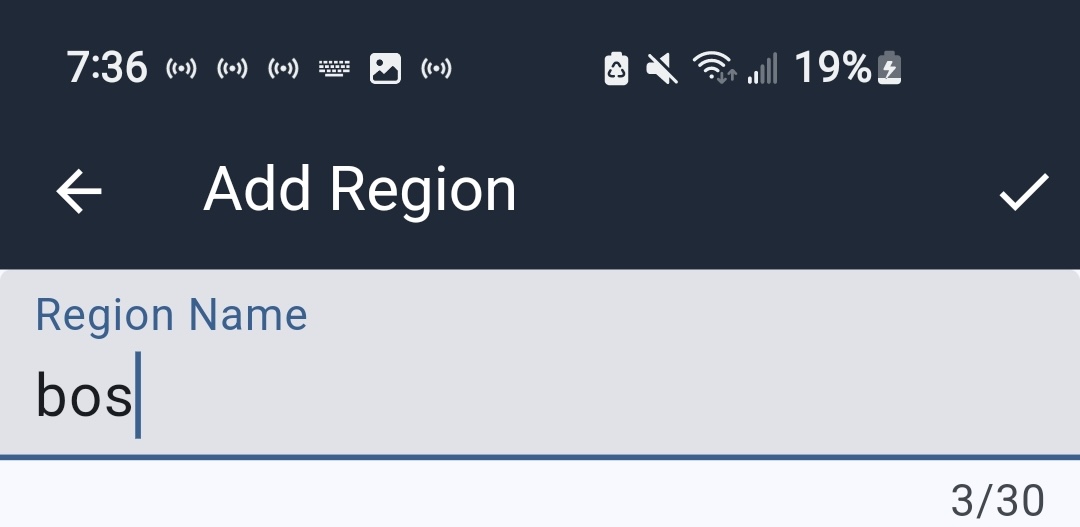
- Tap the check button.
- You'll be returned to the Select Region screen, where the newly added region is listed. Tap the empty radio button next to it.
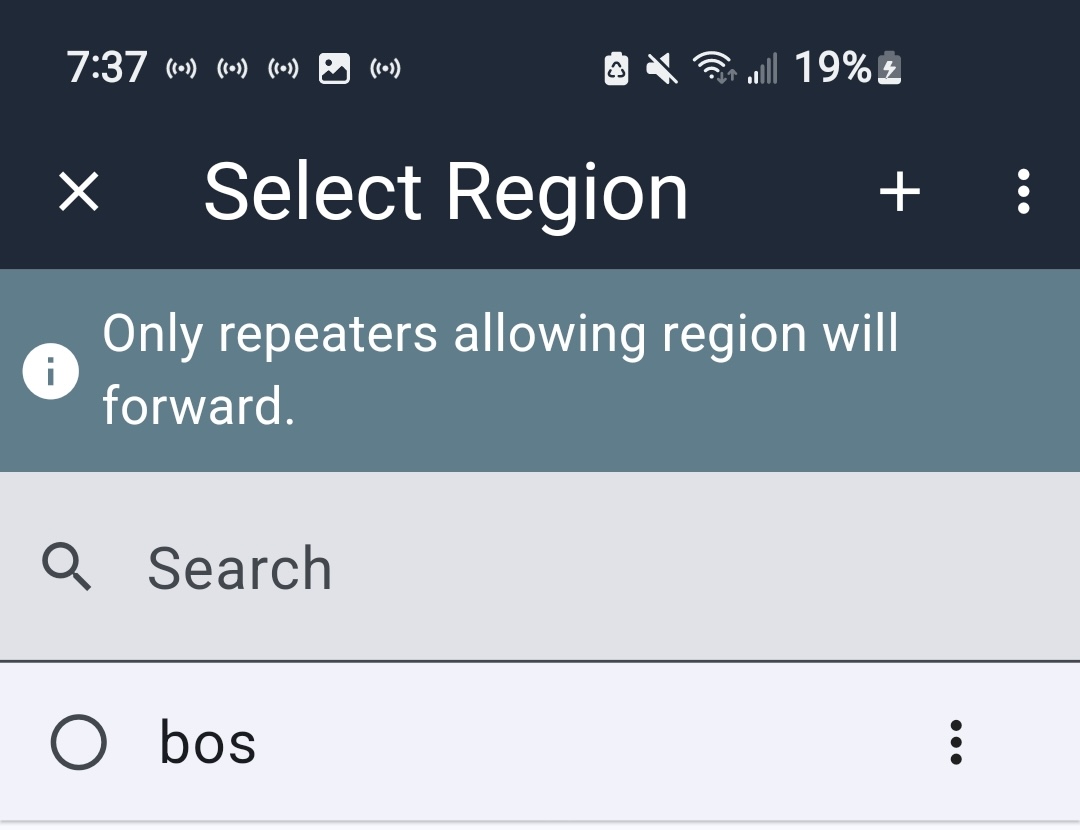
- You'll be returned to the Channel screen, and the header will show the region the channel is now scoped for.
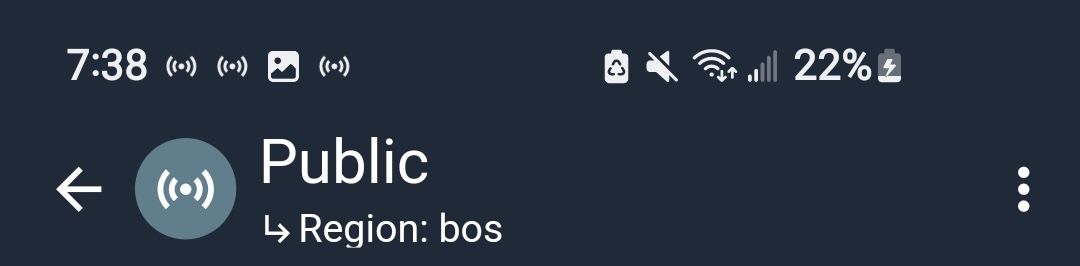
-
To change the region:
- Tap the three dots in the channel header.
- Tap Set Region Scope to return to the Select Region screen.
- Tap + to open the Add Region screen.
- Enter the region name.
- Tap the check button.
- You'll be returned to the Select Region screen, where the newly added region is listed alongside the other available regions.
- Select the one you want to send messages on this channel to.
- You'll be returned to the Channel screen with an indication in the header of the selected region.
-
To clear all regions from this channel (so messages sent on it are unscoped):
- Tap the three-dot menu in the Select Region header.
- Tap Clear Scope.
- You'll be returned to the Channel screen with no scoped region applied.
Region names must be exact — a misspelled region is treated as a completely different region from the correctly-spelled one.
Learn local routers' scope settings
When you use a companion, you can't see a repeater's configuration directly. In order to learn the local router's scope settings, use the Discover Regions function in the companion app before sending scoped traffic in an area where you are unfamiliar with the router's configurations.
- Go to a Channel screen.
- Tap the three-dot menu.
- Tap Set Region Scope. The Select Region screen appears.
- Tap the three-dot menu.
- Tap Discover Regions. The Discover Regions screen opens.
- Tap the Discover Regions button for your companion to request a region list from the zero-hop repeaters.
- When local regions are in use by local repeaters, they appear on the Discover Regions screen with either:
- A check mark, indicating they're available for you to choose from on your Select Region screen, or
- An Add button, to add the region to your list of regions so you can quickly add it to a channel.
- From here, you may exit back to the Channel screen.
This sends a one-hop broadcast request. Any repeater within direct radio range responds with the regions it's configured to allow. It only reports repeaters you can reach directly right now — not the whole mesh, and not repeaters further down the path your message might need to travel.
Known limitations
- You can't identify the scope of a message you receive. For queued messages, the companion protocol doesn't pass the transport code to the app at all. For live messages, the app can detect that a region was used but can't identify which one.
- Discover Regions only tells you about your immediate radio range. A multi-hop message may still fail even if your local repeater carries the right region, if a repeater further along the path doesn't.
Troubleshooting
Confirm your region is actually configured nearby (via Discover Regions) before relying on it.